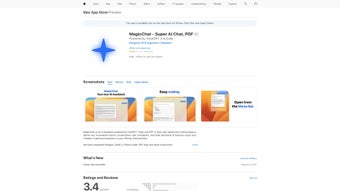

Download MagicChat – AI‑Powered Customer Engagement Tool for iPhone, iPad & Mac
Overview
MagicChat is a subscription‑based, AI‑driven chatbot designed to transform the way businesses handle customer service, sales, and marketing conversations. Powered by advanced natural language processing (NLP) technology, MagicChat learns from each interaction, enabling it to deliver increasingly relevant and personalized responses over time. The platform is fully optimized for Apple devices, including iPhone, iPad, and Mac, ensuring a seamless, native experience across the Apple ecosystem. With pre‑built conversation templates, real‑time analytics, and deep integrations with leading CRM systems, MagicChat equips organizations of any size with the tools they need to automate routine inquiries, prioritize urgent tickets, and extract actionable insights from every chat session. Whether you’re a startup looking to scale support without hiring additional agents, or an established enterprise seeking to boost conversion rates through intelligent sales assistants, MagicChat offers a secure, scalable, and constantly evolving solution that aligns with modern customer expectations.
Core Features That Set MagicChat Apart
- AI‑Powered Natural Language Understanding: Leverages state‑of‑the‑art NLP models to interpret user intent, sentiment, and context, delivering human‑like responses.
- Pre‑Built Conversation Templates: Ready‑to‑use flows for common scenarios such as order tracking, lead qualification, and FAQ handling, which can be customized without coding.
- Dynamic Learning Engine: Continuously refines its knowledge base from live interactions, reducing the need for manual script updates.
- Prioritization of Urgent Inquiries: Built‑in escalation rules automatically flag high‑priority tickets and route them to human agents.
- Comprehensive Analytics & Reporting: Real‑time dashboards display conversation volumes, response times, satisfaction scores, and conversion metrics.
- Seamless CRM Integration: Connects with Salesforce, HubSpot, Zoho, and other leading CRM platforms to sync contacts, log interactions, and trigger workflows.
- Multi‑Channel Support: Deploys across website chat widgets, Apple Business Chat, and social media platforms, ensuring consistent branding.
- Secure Data Handling: End‑to‑end encryption, GDPR compliance, and role‑based access controls protect customer data.
- Custom Branding & UI Controls: Tailor the chatbot’s appearance to match your corporate identity, including colors, avatars, and welcome messages.
- Regular Updates & Feature Rollouts: Automatic software updates keep the platform current with the latest AI improvements and security patches.
Installation & Usage – Getting Started in Minutes
Step‑by‑Step Installation on Apple Devices
MagicChat is distributed as a native app through the Apple App Store, guaranteeing a secure download experience. Follow these simple steps to install:
- Open the App Store on your iPhone, iPad, or Mac.
- Search for “MagicChat AI Chatbot”.
- Tap Get and authenticate with Face ID, Touch ID, or your Apple ID password.
- The app downloads and installs automatically; you’ll see the MagicChat icon on your home screen or Applications folder.
Initial Configuration and Account Setup
After launching the app, you’ll be guided through a brief onboarding wizard. First, create a MagicChat account using your business email address. The platform supports single‑sign‑on (SSO) via Azure AD or Google Workspace, making it easy to align with existing identity providers. Next, choose a subscription plan that matches your expected chat volume – the platform offers monthly and annual options, both of which include a 14‑day free trial.
Once your account is active, you’ll be prompted to connect your CRM. MagicChat provides step‑by‑step instructions for linking Salesforce, HubSpot, or a custom API endpoint. After the connection is verified, you can import existing contact lists, map fields, and set up automation triggers (e.g., “Create a new lead when a visitor asks about pricing”).
Creating Your First Chatbot
The intuitive drag‑and‑drop builder lets you assemble conversation flows without any programming knowledge. Start by selecting a template that aligns with your business case – for example, “Lead Capture for SaaS”. Customize each node by editing the welcome message, adding quick‑reply buttons, and configuring fallback responses for unrecognized inputs. The AI engine will automatically suggest alternative phrasings based on real‑time language trends.
After saving your bot, you can preview it in a sandbox environment, test it with sample queries, and fine‑tune the escalation rules. When you’re satisfied, publish the bot to your website or Apple Business Chat channel with a single click. The deployment process generates a secure embed code that you can paste into any web page, or you can enable the built‑in Apple Business Chat integration directly from the app’s settings.
Daily Operations and Monitoring
MagicChat’s dashboard provides a live view of active conversations, agent availability, and performance KPIs. Use the “Conversation Queue” panel to monitor pending chats and manually intervene when needed. The analytics module supplies daily, weekly, and monthly reports that can be exported as CSV or PDF files for deeper analysis. Additionally, you can set up email or Slack notifications for critical events, such as spikes in high‑priority tickets or drops in customer satisfaction scores.
Overall, the installation and usage experience is designed to be frictionless, allowing even non‑technical teams to launch a fully functional AI chatbot in under an hour.
Compatibility, Pros & Cons – What You Need to Know Before You Download
Supported Platforms: MagicChat is currently available for iOS (iPhone & iPad), macOS (Catalyst‑based app), and via a web portal that works on Windows, Linux, and ChromeOS browsers. While there is no native Android app at this time, the web version is fully responsive and can be accessed on any device with a modern browser.
Pros
- Native Apple Experience: Optimized UI, seamless SSO, and access to Apple‑specific features like Business Chat.
- AI Accuracy: Continuous learning reduces misinterpretations and improves response relevance.
- Deep CRM Integration: Real‑time sync eliminates data silos and accelerates lead conversion.
- Robust Analytics: Actionable insights help refine marketing strategies and improve support KPIs.
- Scalable Pricing: Tiered subscription model fits startups to enterprise‑level usage.
- Security & Compliance: End‑to‑end encryption, GDPR, and SOC 2 certifications protect sensitive data.
- Easy Customization: No‑code builder, brandable UI, and multilingual support.
Cons
- Limited Native Android App: Users on Android must rely on the web interface, which may lack some native conveniences.
- Subscription Cost: While competitive, the recurring fee can be a barrier for very small businesses with tight budgets.
- Initial Training Required: To fully leverage AI learning, teams need to invest time in reviewing conversation logs and refining intents.
- Feature Overload for Simple Use Cases: Companies needing only basic FAQ bots might find the extensive feature set overwhelming.
Overall Verdict: MagicChat delivers a powerful blend of AI sophistication, deep integration capabilities, and a polished user experience on Apple devices. Its primary drawbacks are the absence of a native Android client and the learning curve associated with advanced customization. For businesses focused on delivering high‑quality, data‑driven customer interactions, the benefits far outweigh the limitations.
Frequently Asked Questions & Final Thoughts
Is MagicChat free to try?
Yes, MagicChat offers a 14‑day free trial with full access to all core features, allowing you to evaluate the AI chatbot before committing to a paid subscription.
Can MagicChat integrate with my existing CRM?
Absolutely. MagicChat provides native connectors for Salesforce, HubSpot, Zoho CRM, and also supports custom API integrations for less common systems.
Does MagicChat comply with GDPR and other data‑privacy regulations?
Yes, the platform is GDPR‑compliant, features data‑subject request handling, and maintains SOC 2 certification for added security assurance.
What kind of support is available for new users?
MagicChat offers 24/7 email support, a dedicated onboarding specialist during the first month, and an extensive knowledge base with video tutorials and community forums.
Can I customize the chatbot’s language and tone?
Yes, the no‑code builder lets you define brand‑specific phrasing, select tone (formal, friendly, technical), and even upload custom vocabularies for industry‑specific terminology.
Conclusion – Should You Download MagicChat?
If you’re looking for a secure, AI‑driven chatbot that integrates tightly with Apple devices and major CRM platforms, MagicChat is a compelling choice. Its natural‑language capabilities, rich analytics, and scalable architecture make it suitable for businesses that prioritize personalized customer experiences and data‑backed decision making. While the lack of a native Android app may be a minor inconvenience for mixed‑device teams, the web version mitigates this gap sufficiently for most use cases. The subscription pricing reflects the enterprise‑grade features, but the 14‑day trial provides a risk‑free window to assess ROI.
Ready to boost your customer engagement? Click the button below to start your free trial, download the app from the Apple App Store, and experience the power of AI‑enhanced conversations today.



.png)



